Stay in your workflow
Use telephony features without constantly switching between applications.

iOffice Communicator adds telephony to HCL Notes and HCL Sametime. Call contacts, identify callers and manage calls directly from your usual workspace.
iOffice Communicator provides CTI features in HCL Notes and Sametime. Available features depend on the client, telephone system and configuration.
Use telephony features without constantly switching between applications.
See call information and available contact details in the context of your work.
Connect your telephone system through TeamCall TAP and keep using your existing HCL environment.
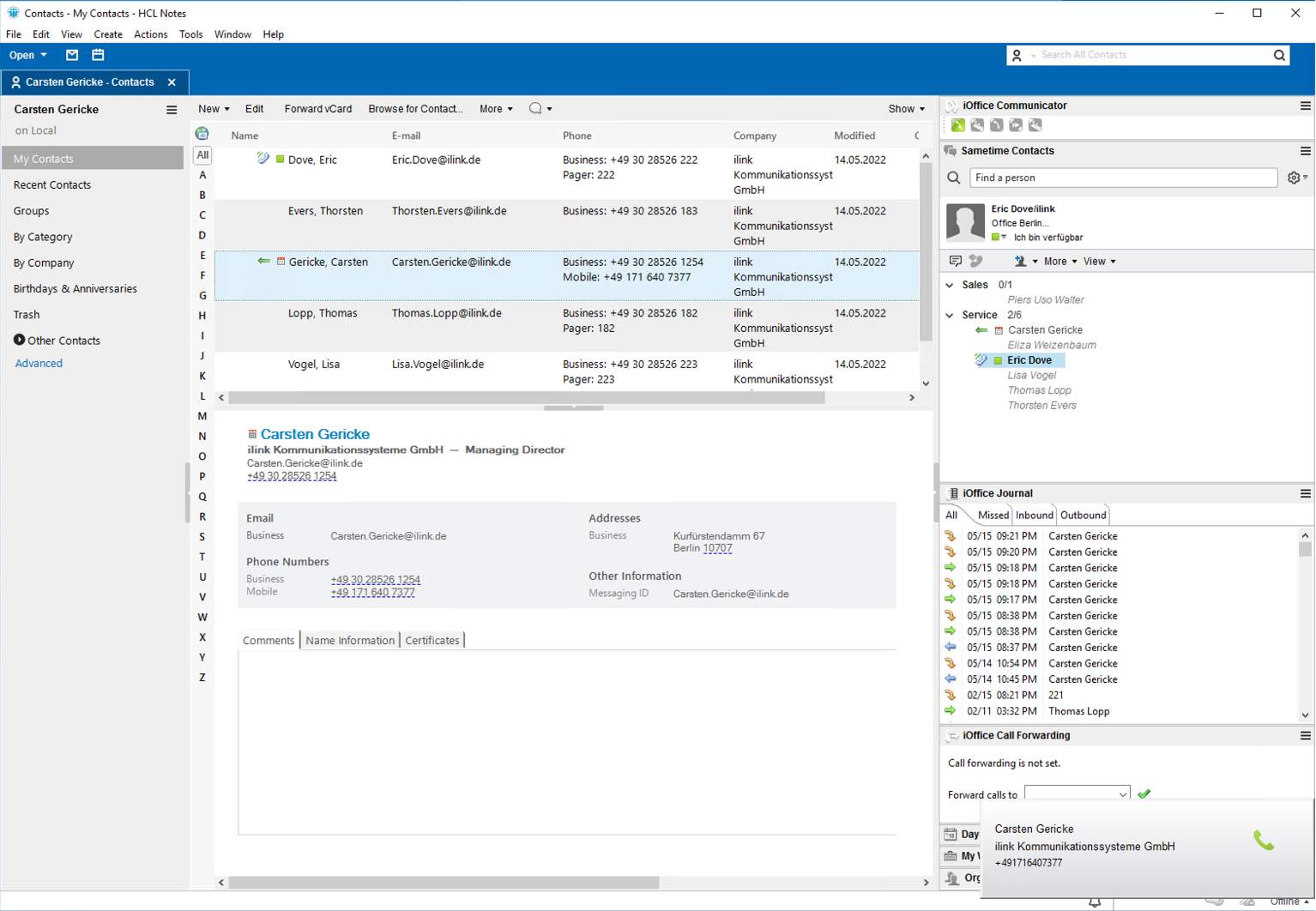
Use telephony directly in Notes. Click phone numbers, identify callers, manage calls and use the call log.
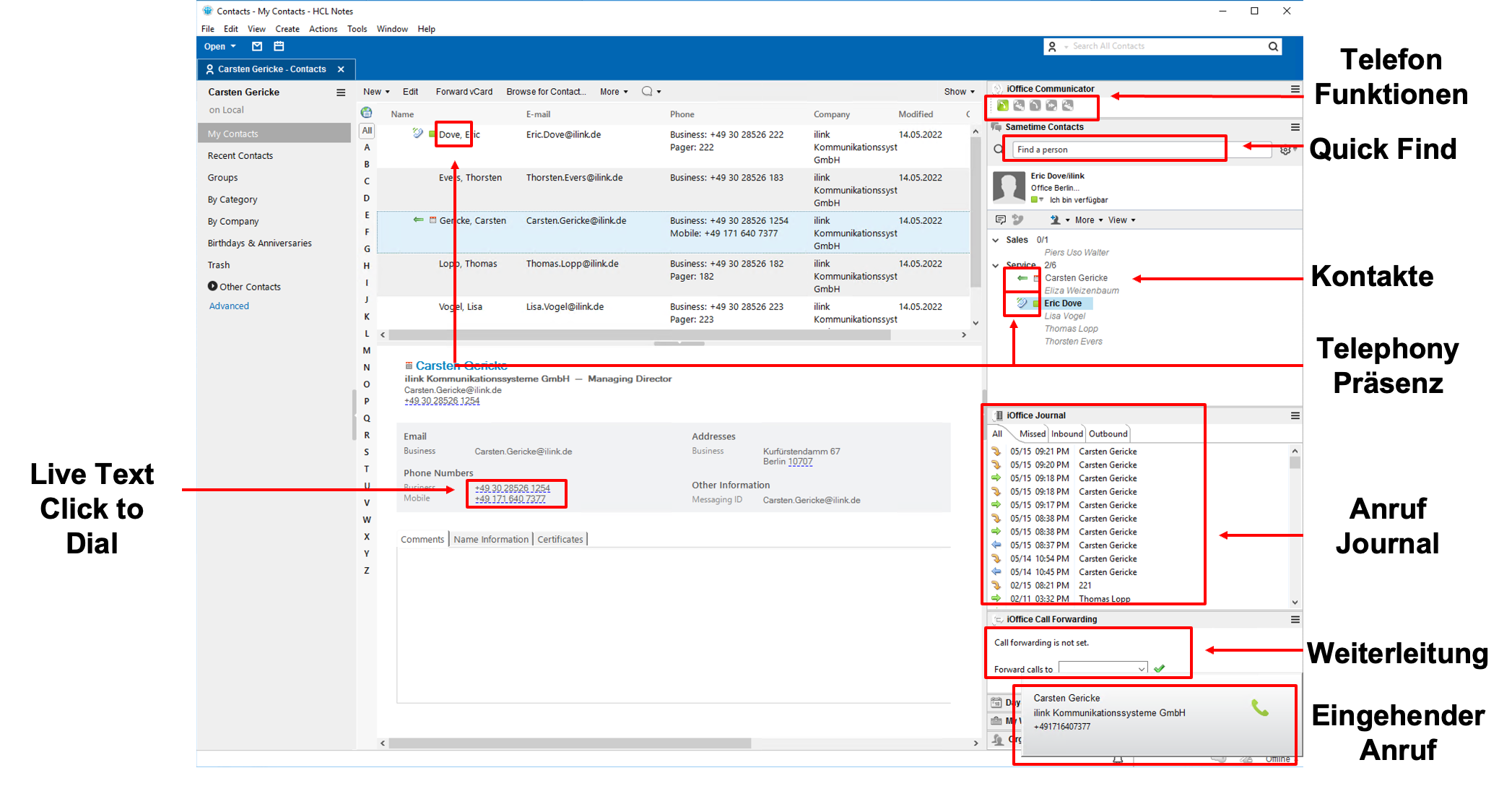
The CTI extension uses contact details from the Notes address book and supports day-to-day communications without opening a separate application for every call.
The built-in call log shows incoming, outgoing and missed calls. You can return calls directly from the list.
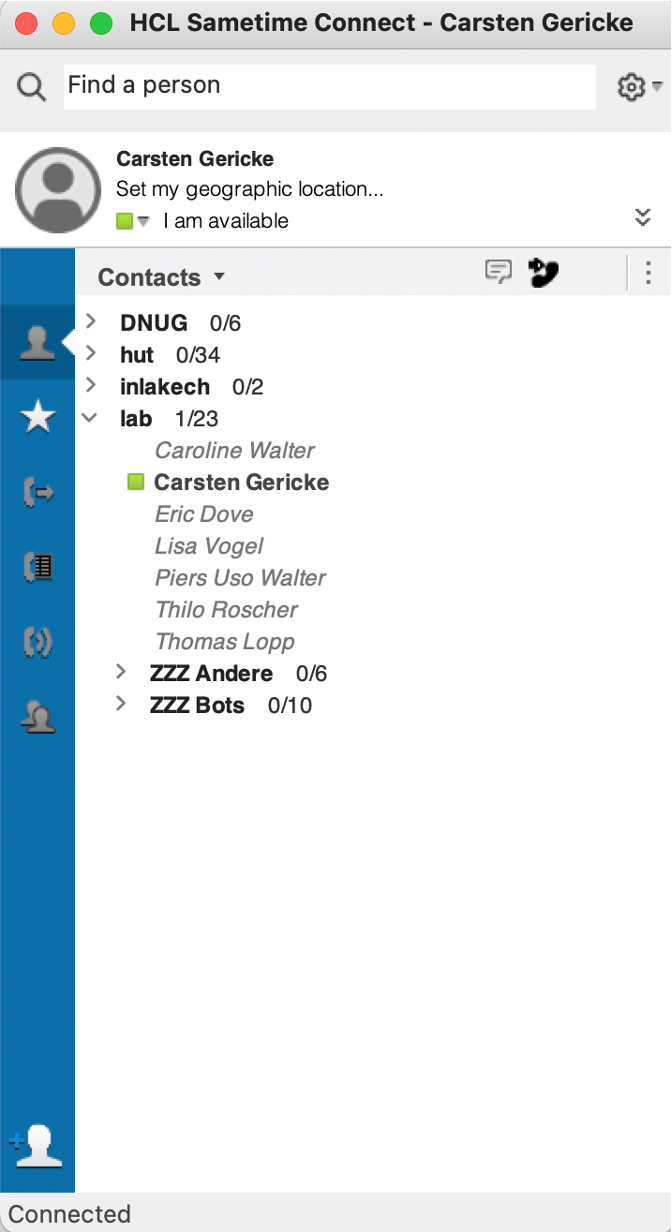
The CTI extension works with both the standalone Sametime Connect Client and the Sametime client embedded in Notes. Call contacts with a click and see phone status and call information in your communications workspace.
When a call comes in, a pop-up can show the contact’s name and company if the caller can be matched to a directory entry.
Optional telephony presence adds phone status to your colleagues’ presence information. Before calling or transferring a call, you can see whether someone is already on the phone.
The documented call handling features include consultation calls, transfers and three-way conferencing.
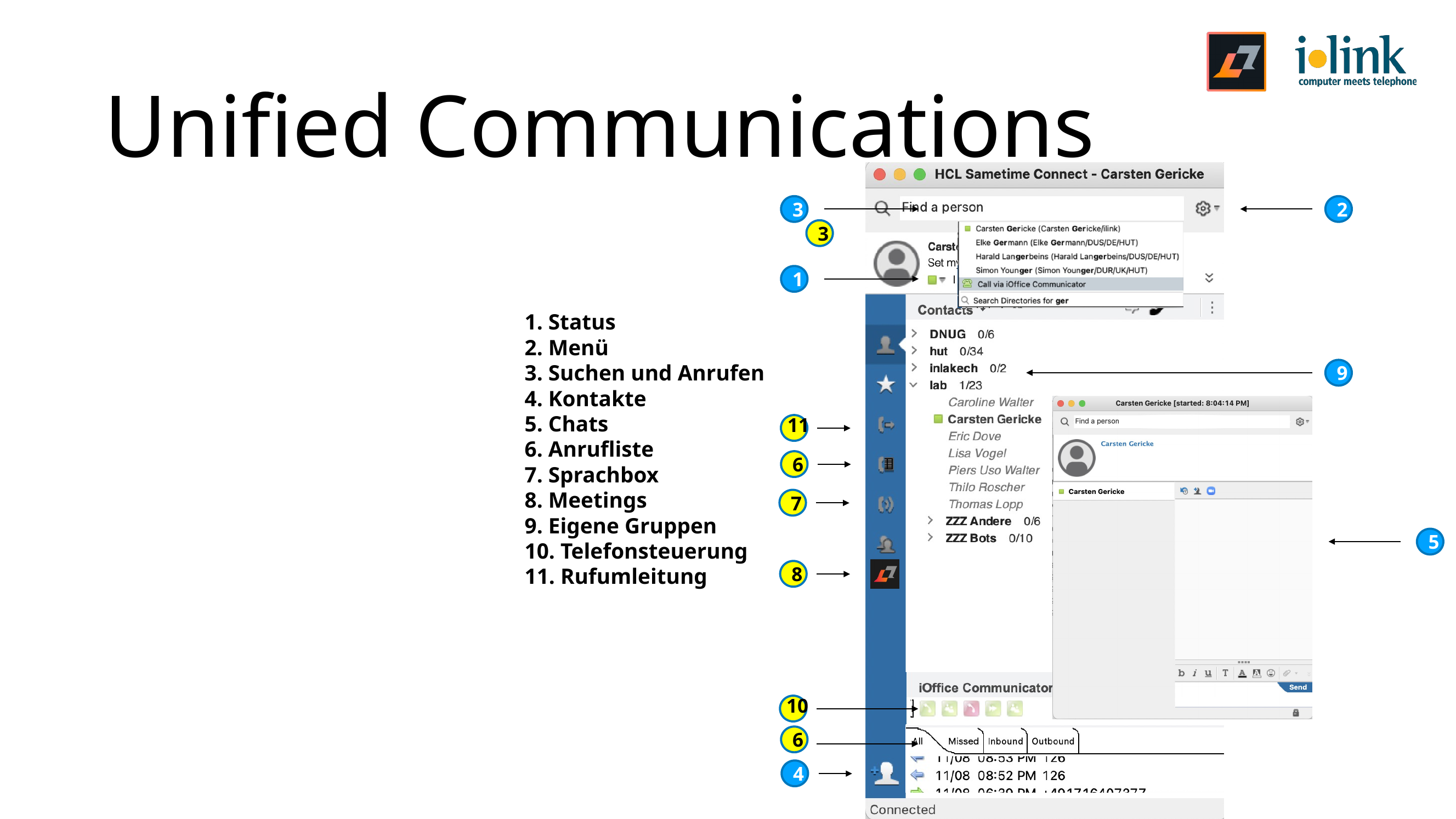
The following features are documented. Availability varies by client and telephone system configuration.
Call contacts and phone numbers from Notes and Sametime with a click.
For incoming calls, display names and contact details from the Notes address book or an LDAP directory.
Find and call contacts in the shared company directory.
Review incoming, outgoing and missed calls and return calls directly from the log.
Answer and end calls, make consultation calls, transfer calls and manage three-way conferences.
View colleagues’ phone status in the Sametime contact list when the extension is configured.
Manage call forwarding in the integrated interface where supported by the telephone system.
TeamCall TAP connects the telephone system. iOffice Communicator makes supported telephony features available in the HCL workspace.
Optional presence features and licensing requirements depend on your environment.
More about TeamCall TAP →Middleware that connects telephone systems to applications.
Product details →Telephony integration for Salesforce through the TeamCall platform.
Product details →Browser-based CTI application for use with TeamCall TAP.
Product details →We listen, ask questions and get to the root of the problem.